 ShannonMYang
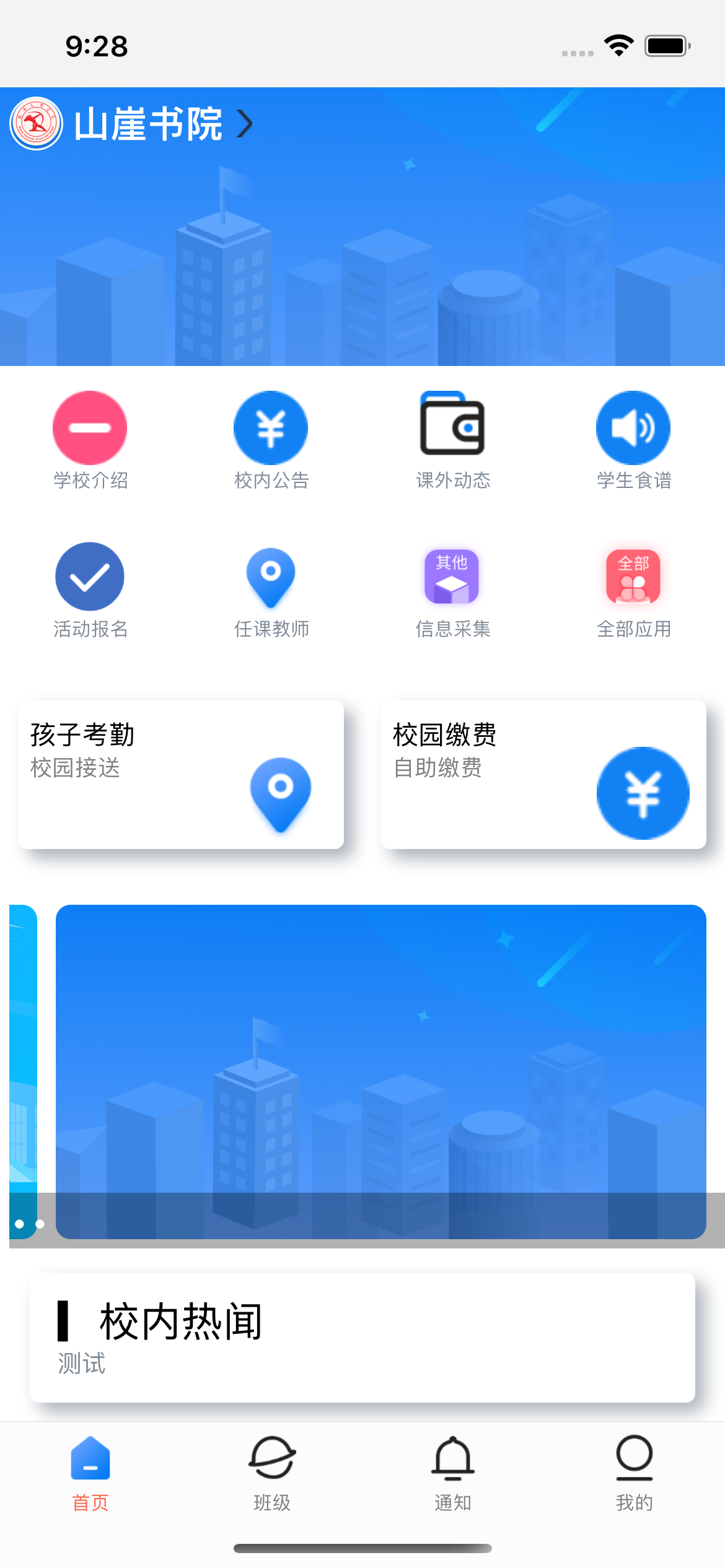
如图所示,需求是点击全部应用图标,跳转到新的页面(组件封装的)。而此时,全部应用是由组件封装而成的,全部应用那一行也是一个组件。现在问题是,点击时,无法获取到 navigation 而报错。
原因:
原因是在一个页面组件中调用了另一个组件,而跳转动作在被调用组件中定义。则会出现当前呈现页面的 this 与跳转动作发生的 this 不一致,导致跳转动作不能被调用。
解决办法:
在当前呈现页面传入 navigation
// home.js
export default class home extends Component {
    render() {
        const backgroundStyle = {
            backgroundColor: Colors.lighter,
        };
        return (
            <SafeAreaView style={backgroundStyle}>
                <StatusBar />
                <ScrollView
                    contentInsetAdjustmentBehavior="automatic"
                    style={backgroundStyle}>
                    {/* <Header /> */}
                    <View
                        style={{
                            backgroundColor: Colors.white,
                        }}>
                        <TopHeader />
                        {/**
                         * 这时候报错: undefined is not an object (evaluating 'this.props.navigation.navigate')
                         *
                         * 原因是在一个页面组件中调用了另一个组件,而跳转动作在被调用组件中定义。
                         * 则会出现当前呈现页面的 this 与跳转动作发生的 this 不一致,导致跳转动作不能被调用。
                         *
                         * 解决办法:在当前呈现页面传入 navigation
                         *
                         */}
                        <AppSet navigation={this.props.navigation}/>
                        <CardFunc />
                        <ScrollImage imgData={DATA}/>
                        <NewList />
                    </View>
                </ScrollView>
            </SafeAreaView>
        );
    }
};
// appSet.js
export default class appSet extends Component {
    // 构造
    constructor(props) {
        super(props);
    }

    render() {
        const imgNeedSource = require('../../assets/images/home/trade.png');
        return (
            <View style={styles.container}>
                <View style={styles.firstBoxStyle}>
                    <AppIcon nameStr='学校介绍' imgSource={require('../../assets/images/notice/icon_addCourse_remove.png')} />
                    <AppIcon nameStr='校内公告' imgSource={require('../../assets/images/notice/icon_detail_trade.png')} />
                    <AppIcon nameStr='课外动态' imgSource={require('../../assets/images/notice/icon_news_campuscard.png')} />
                    <AppIcon nameStr='学生食谱' imgSource={require('../../assets/images/notice/icon_detail_school.png')} />
                </View>
                <View style={styles.secondBoxStyle}>
                    <AppIcon nameStr='活动报名' imgSource={require('../../assets/images/home/qrcode_success.png')} />
                    <AppIcon nameStr='任课教师' imgSource={require('../../assets/images/home/icon_head.png')} />
                    <AppIcon nameStr='信息采集' imgSource={require('../../assets/images/home/home_icon_other.png')} />
                    <AppIcon onPress={()=>this.pushOtherPage()} nameStr='全部应用' imgSource={require('../../assets/images/home/home_icon_more.png')} />
                </View>
            </View>
        );
    }

    pushOtherPage() {
        this.props.navigation.navigate('AppDetailList');
        // this.props.navigation.navigate('AppDetailList', {
        //     // 父子页面跳转传递的参数
        // });
    }
};